
Preview / Tool reference
Sattari Learn: Formats, Privacy & Limits
Pick a song, get to know the notes and chords, then practice one phrase at a time. Build confidence with slower examples, visual finger guides and a daily session.
Open Sattari Learn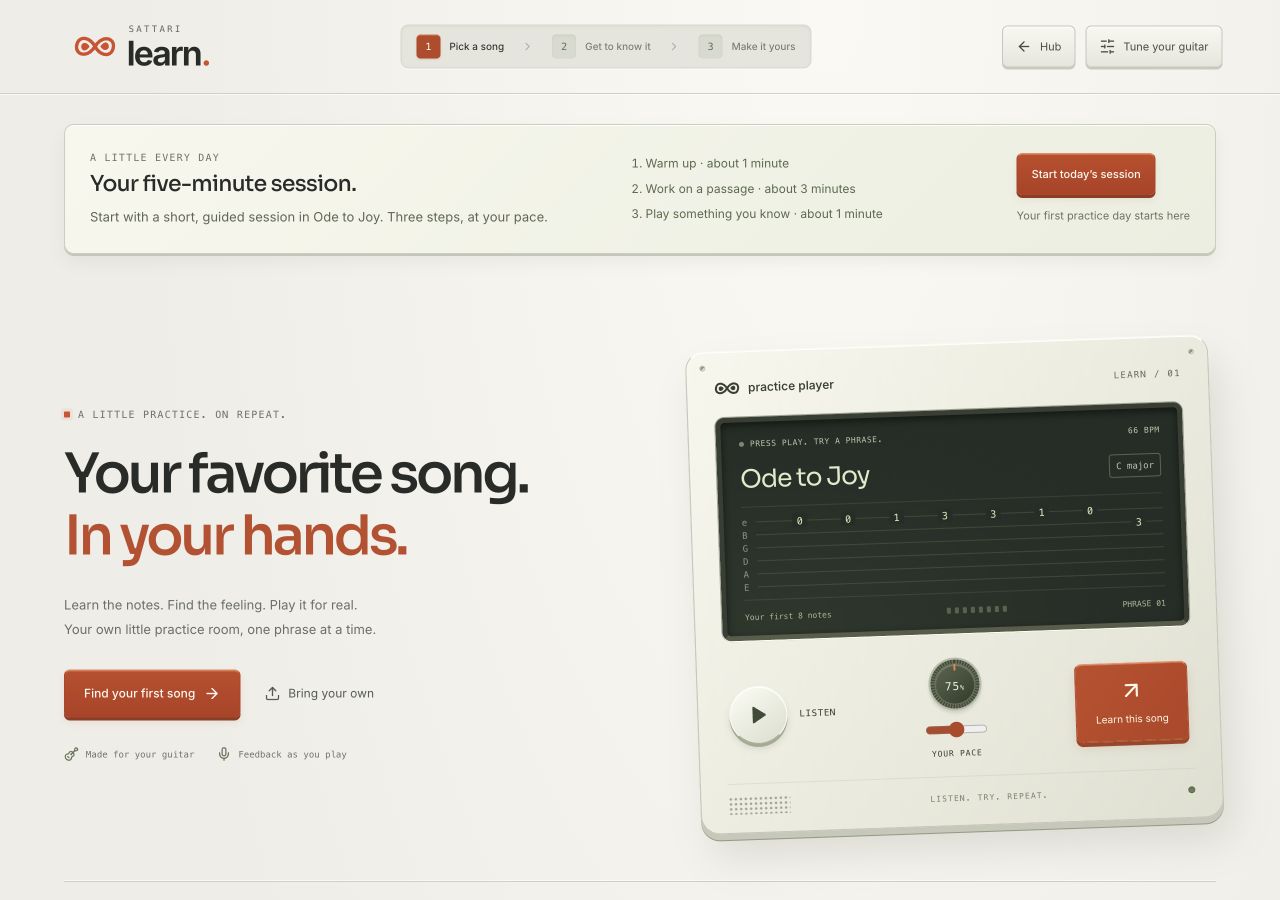
- Input
- Choose a starter lesson, upload an audio file, or import a Guitar Pro or MusicXML score. Audio imports support files up to 40 MB and eight minutes. Streaming-service links are not supported.
- Song guides
- Explore chord charts, tablature, standard notation and animated finger guides. Audio analysis estimates key, tempo and notes; listen and correct the guide before practicing. Score imports currently support constant tempo and 4/4.
- Practice
- Select a passage, slow it down, choose essentials or full notes, and work through pitch and rhythm exercises. A 12-step beginner path, daily sessions, suggested drills and local recorded takes help you revisit difficult phrases.
- Guitar setup
- Choose right- or left-handed diagrams, standard, Drop D or DADGAD tuning, and a capo position. Suggested positions should always be checked for comfortable playability.
- Browser
- JavaScript and Web Audio are required. Microphone feedback requires permission and HTTPS or localhost. Start in a current desktop browser with headphones and a quiet room.
- Privacy
- Audio analysis and microphone processing run on your device. Optional analysis models are downloaded when selected. Recordings and attached lesson videos stay in local browser storage.
- Price
- The current Learn preview is free to use without signing in. It is separate from booking a lesson with a teacher.
- Storage
- Imported lessons, guitar settings, practice history and saved takes remain in this browser. Download a Learn backup to keep them or restore on another device. Restores add missing entries and keep existing data. There is no automatic cloud sync.
- Limitations
- A finished mix can confuse note and chord estimates and cannot reliably isolate guitar alone. Single-note feedback works best on clear, steady notes. Whole-chord checking is experimental; feedback is a practice aid, not a complete performance assessment.
Try a starter lesson
An authored guitar arrangement of Ode to Joy at 88 BPM, with synthesized reference audio. The lesson notes, tabs and practice targets come from the same arrangement.
Download demo WAV- Open Learn and choose Ode to Joy from the song library.
- Explore the notes, chord charts and finger guides. Select a short passage and choose an easier version if you need one.
- Choose Practice this song. Follow microphone setup for live feedback, or explore without a microphone. Hear the phrase, play slowly, then try it in time.
Your browser and your files
Start with a short file and verify a small export before a long session. Browser storage is not a backup. No all-device performance guarantee is implied by these screenshots.
Audio privacy and measurement choices